
How to Take In-Home Newborn Photography Tips for Parents
Last Updated: October 25, 2026
Quick Summary
The best newborn photography tips for an in-home session are to shoot 5 to 14 days after birth, feed the baby right before you start, and use soft indirect window light. Turn off the flash, warm the room, and keep poses simple and safe.
Schedule the session 5 to 14 days after birth, when babies sleep deeply and curl naturally.
Feed the baby right before you begin so they are drowsy and settled.
Place the baby parallel to a window with indirect sun and turn off all overhead lights.
Plan for 90 minutes total, though you will only shoot for about 30.
Choose 10 to 15 final images and print them rather than leaving files on a phone.
Table of Contents
Why an In-Home Newborn Photography Session Works
Newborn Photo Session Preparation: Timing, Feeding, and a Warm Room
When to Schedule the Session
The Feeding and Soothing Routine Before You Start
Natural Light Newborn Photography: Finding Window Light at Home
The 60-Second Room Test
Fix 1: Dark Rooms with Small Windows
Fix 2: Harsh Direct Sun
Fix 3: Mixed Lighting (Window + Overhead or Lamp)
Fix 4: Overcast or Rainy Days
A Note on Color Cast
Phone Camera Settings and Composition Basics
Before You Shoot: The 60-Second Setup
Focus and Exposure: The Two-Finger Trick
Portrait Mode: Use It, But Check the Edges
Burst Shooting: Catch the Micro-Expressions
Composition: The Three-Shot Rule
Advanced Phone Tips
Newborn Photography Poses at Home: Safe, Natural Setups
Safety Rules for Posing Your Own Baby
What to Wear for Newborn Photos: Parents, Siblings, and Baby
A Realistic Session Timeline and Shot Checklist
Editing, Choosing, and Displaying Your Photos
Frequently Asked Questions
Why an In-Home Newborn Photography Session Works
In-home newborn photography tips start with one truth: your baby is already home, and that is the best studio you have.
Newborns sleep best in familiar air, sounds, and smells.
The trade-off? Your house becomes the set, so light, warmth, and timing matter more than any camera.
In-home newborn photography is a lifestyle approach: you photograph the baby in your own space using natural light and simple setups, rather than posed studio scenes.
Newborn Photo Session Preparation: Timing, Feeding, and a Warm Room
Preparation is where most DIY sessions go wrong. Three things decide the outcome: when you shoot, how you feed, and how warm the room is.
Vanessa Joy
When to Schedule the Session
The sweet spot is 5 to 14 days after birth, when babies sleep deeply and curl naturally. After about three weeks, they stretch and wake more easily. Morning works best: babies are sleepiest after a mid-morning feed, and window light is softest before noon.
The Feeding and Soothing Routine Before You Start
Feed the baby right before you begin. A full belly means a drowsy, settled baby. Burp well, then swaddle and hold your baby upright for a few minutes.
If your baby is hard to soothe, plan extra time and keep the room quiet. Our guide to preparing for a newborn photoshoot with a colicky baby covers specific prep, and our stress-free newborn photography session tips walk through the full day.
Watch out: Do not start shooting on an empty stomach or right after a diaper change. Both wake a baby fast, and you will spend the next hour settling instead of photographing.
Natural Light Newborn Photography: Finding Window Light at Home
Natural light newborn photography is mostly a game of room selection. Find a window with indirect sun and place the baby parallel to it. Most homes are not perfect studios, so the real skill is adapting the light you have. Below are fixes for the four most common lighting problems, plus a quick room test.
The 60-Second Room Test
Before you set up, do this quick check in any candidate room:
Turn off all overhead lights and lamps.
Hold your hand about 1 meter from the window, palm up. A sharp shadow means the light is too direct; a soft, barely-there shadow means good diffuse light.
Look at the baby's face from the side. You want a gentle gradient from cheek to cheek, not a bright stripe across the eyes.
If the room fails, move to the next fix.
Fix 1: Dark Rooms with Small Windows
Small windows and north-facing rooms are not dealbreakers. Try these in order:
Move to the brightest room, even the kitchen or bathroom. A white-tiled bathroom often has the softest, most even light in the house.
Open every blind and curtain, and wipe the glass. Dirty windows and screens eat a surprising amount of light.
Use a white foam board or sheet as a reflector. Place it opposite the window, about 1 meter from the baby, angled slightly toward them, to bounce light into the shadow side of the face.
If you still need more light, raise your phone's exposure slightly (drag the sun slider up) rather than turning on overhead lights, which cast harsh shadows.
Fix 2: Harsh Direct Sun
Direct sun creates hard shadows and squinting. Do not shoot in it. Instead:
Diffuse the light with a sheer white curtain or a white bedsheet taped over the window. This turns harsh sun into soft, even light.
Move the baby back from the window until the light falls softly across the face; 1.5 to 2 meters usually works.
Shoot with the window to the side of the baby, not behind or in front. Side light gives shape without glare.
Fix 3: Mixed Lighting (Window + Overhead or Lamp)
Mixed color temperatures (cool daylight plus warm tungsten) create odd skin tones that are hard to fix later. The simplest fix:
Turn off all artificial lights and rely on the window alone.
For fill light, use a second window or a white reflector, not a lamp.
If you must use a lamp, choose a daylight-balanced bulb and place it behind the baby, not in front.
Fix 4: Overcast or Rainy Days
Overcast light is actually ideal: soft, even, and shadow-free. But it can be dim. To make the most of it:
Shoot closer to the window than on a sunny day, about 0.5 to 1 meter.
Use a white reflector on the opposite side to lift shadows.
Raise your phone's exposure slightly, but watch for noise in the shadows.
A Note on Color Cast
Walls, blankets, and clothing bounce color onto the baby's skin, a green wall casts green, a red blanket casts pink.

Pro Tip If you are unsure whether the light is good, take one test shot and look at the baby's eyes. If you see a clear, bright catchlight (a small white dot) in each eye, you have enough light. If the eyes look flat and dark, move closer to the window or add a reflector. ::: Once the lighting is balanced to highlight these details, you can turn your attention to styling baby accessories to ensure they complement the natural focus on your newborn's features. Phone Camera Settings and Composition Basics Your phone is enough. Modern phone cameras handle low light well, and these settings take less than a minute to change. Here is a phone-specific workflow for newborn photos at home. Before You Shoot: The 60-Second Setup Turn off the flash. Always. Flash flattens the face, startles the baby, and creates harsh shadows. Disable auto-flash in the camera app. Clean the lens. A smudge softens every photo. Wipe it with a microfiber cloth or your shirt. Turn on grid lines. Enable the 3x3 grid to level the horizon and place the baby's eyes on a grid line for a stronger composition. Disable HDR if you can. HDR can make skin tones look unnatural and blur a moving baby. Turn it off for this session. Focus and Exposure: The Two-Finger Trick On most phones, you tap to focus. But for a newborn, you need to lock focus and adjust exposure separately: Tap and hold on the baby's eyes until you see "AE/AF Lock" (or similar). This locks focus and exposure. Drag the sun slider up or down to adjust brightness without losing focus. For light skin, lower the exposure slightly to preserve highlight detail; for darker skin, raise it slightly to avoid underexposing the face. If the baby moves, tap once to refocus and repeat the lock. Portrait Mode: Use It, But Check the Edges Portrait mode blurs the background, which isolates the baby nicely, but it can also blur the edge of a blanket or a parent's hand. After each shot, zoom in on the baby's head and any props. If the blur looks fake or cuts into the baby, switch to normal mode and move closer. Burst Shooting: Catch the Micro-Expressions Newborns make tiny expressions, a half-smile, a pout, a stretch, that last a fraction of a second. Use burst mode: on iPhone, swipe left on the shutter button (or hold it down); on Android, press and hold the shutter button or enable burst mode in settings. Take a 2-3 second burst each time the baby settles into a new position; one of the 10-20 frames usually has the best expression. Reach out Today → Composition: The Three-Shot Rule For every setup, take three shots: Wide: Show the baby in the environment (the crib, the bed, the parent's arms). Medium: Fill the frame with the baby's body and head. Close-up: Focus on hands, feet, eyelashes, or the top of the head. This gives you variety and detail shots for a gallery wall. Advanced Phone Tips Use the telephoto lens if you have one. A 2x or 3x lens compresses the background and flatters the face more than the wide lens. Avoid the ultra-wide lens for portraits, it distorts the face. Shoot in RAW if your phone supports it. RAW gives you more flexibility to fix white balance and exposure later. If you are not comfortable editing, stick to JPEG. Turn off Live Photos if you need to save space. They take up more storage and can distract when you review images. If your phone has a "night mode" or "low light" mode, turn it off for newborn photos. These modes often use longer exposures that blur a moving baby and can make skin tones look orange.

Newborn Photography Poses at Home: Safe, Natural Setups
Newborn photography poses at home should be simple and safe. The best images come from natural positions, not complicated contortions.
Start with these four setups:
Swaddled on the back, hands near the face
Side-lying, curled with a blanket behind the back
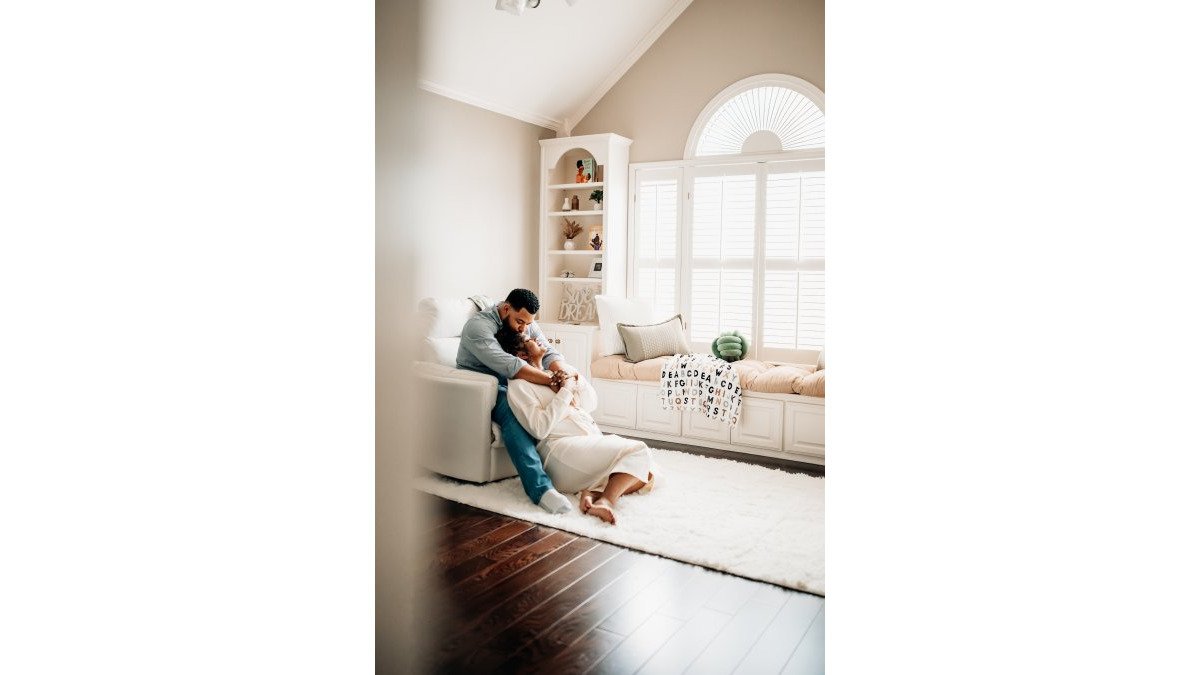
On a parent's chest, skin-to-skin or in a wrap
Safety Rules for Posing Your Own Baby
Safety comes before any shot.
Never leave the baby on a bed, couch, or prop unattended, even for a second
Always keep a hand on the baby when they are elevated
Skip any pose that requires the baby to balance or hold their head
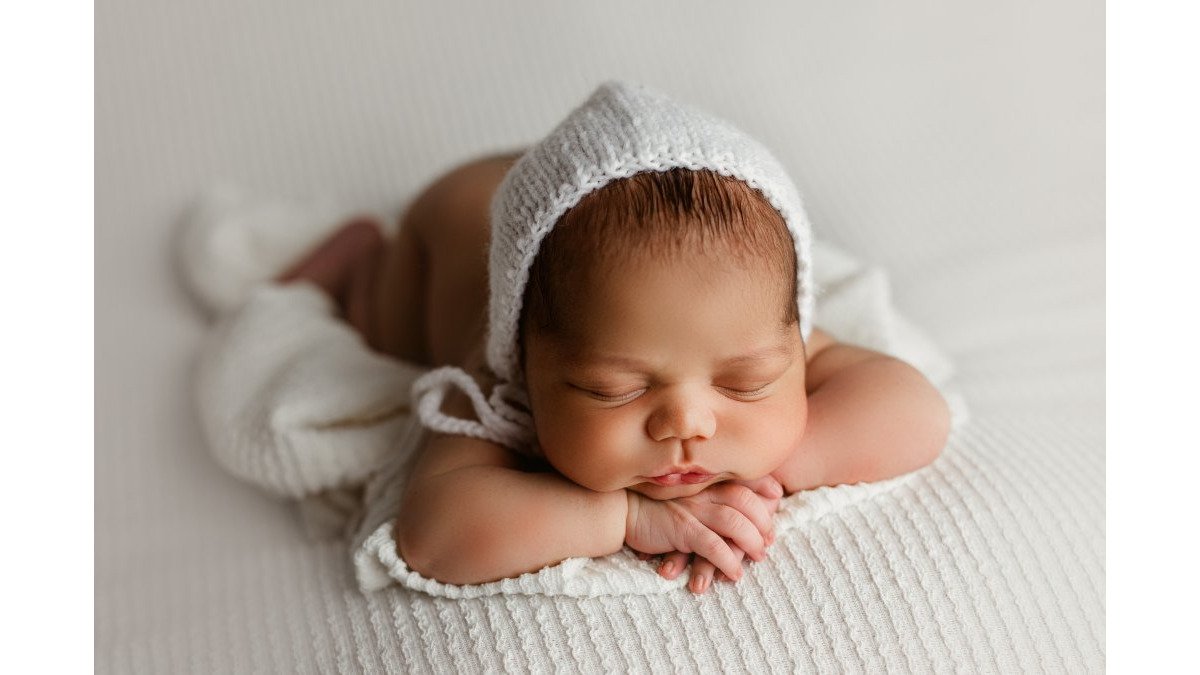
Watch out: The popular "chin in hands" pose requires a spotter and editing. Do not attempt it alone at home.
Mothers recovering from a c-section should avoid deep bending and twisting. Our guide to safe posing after c-section recovery covers comfortable positions for the whole session.
What to Wear for Newborn Photos: Parents, Siblings, and Baby
What to wear for newborn photos comes down to three rules: neutral colors, soft fabrics, and no logos.
For parents, choose cream, gray, tan, or soft blue. Skip bright prints and busy patterns; long sleeves and simple necklines photograph well.
If you want the whole family coordinated, our guide to coordinating family portrait outfits breaks down color palettes and textures.
A Realistic Session Timeline and Shot Checklist
Plan for 90 minutes, even though you will only shoot for about 30. The rest is feeding, settling, and waiting.
Time | What Happens | What You Shoot |
0-15 min | Feed, burp, swaddle | Nothing yet |
15-30 min | Settle the baby in the light | Test shots, exposure check |
30-50 min | Sleepy window | Swaddled, side-lying, close-ups |
50-65 min | Parent and sibling shots | Chest, hands, family group |
65-90 min | Backup setups | Any missed shots, detail work |
Use this shot checklist so nothing gets missed:
Swaddled on back, hands near face
Side-lying with blanket support
Close-up of hands and feet
Patience is the whole game. If the baby fusses, feed again and restart. A calm pace beats a rushed one.
Editing, Choosing, and Displaying Your Photos
Editing should take minutes, not hours.
Then choose 10 to 15 images, not 200.
Print them. For framing and layout ideas, see our guide to displaying family portraits.
This is also where a full-service studio earns its keep.
Taking newborn photos at home is doable, and the results can be beautiful.
That is exactly where K-Rae Images comes in.
Frequently Asked Questions
When is the best time to take newborn photos at home?
Most parents get the easiest results in the first two weeks after birth, while babies are still very sleepy and curl naturally. After that, many infants are more alert and harder to settle for posed shots. Book your session for the morning if possible, right after a full feeding, and keep the room warm so your baby stays drowsy. If you are working with a professional, ask about their preferred scheduling window when you book.
How do you prepare your home for an in-home newborn photography session?
Start with one or two rooms, not the whole house. Choose a space with a large window and clear the background of clutter, cords, and bright labels. Turn the heat up so the room feels warm to you in short sleeves, since babies lose heat quickly. Set out diapers, wipes, burp cloths, and a change of clothes within reach so you are not searching mid-session. If a photographer is coming, have a parking spot and a quiet area ready for feeding breaks.
What should parents wear to a newborn photo shoot?
Choose simple, solid colors in soft neutrals or muted tones and skip busy patterns and logos. Long sleeves and fitted or flowing fabrics photograph well and keep the focus on your baby. Avoid matching everyone exactly; coordinated tones look more natural. For your baby, a plain white or cream swaddle or onesie works for most shots, and you can add a special heirloom blanket or knit for a few frames. Bring a backup outfit for yourself in case of spit-up.
How do you take a picture with a newborn using just a phone?
Put your phone in portrait mode if it has one, tap on your baby's face to lock focus and exposure, and turn off the flash. Shoot near a window with the light falling across your baby rather than behind them, and hold the phone at your baby's eye level instead of looking down. Take a burst of shots during each setup so you catch the tiny expressions, and keep backgrounds simple. These newborn photography tips work best right after a feeding when your baby is calm.
Reach out Today
Add kraeimages.com as a preferred source on Google →
Comments